Key highlights:
- Four recent data leaks involve Coinbase’s service provider Amplitude, South Korea’s Bithumb exchange, and the securities firms Mirae Asset and Daishin Securities.
- Leaked user information increases the chances of phishing, SIM swapping, impersonation, and social engineering attacks.
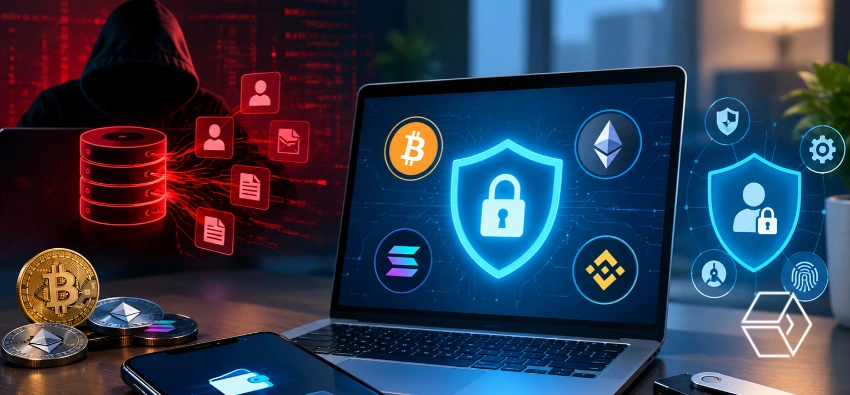
- Protecting accounts with strong passwords, hardware security keys, passkeys, and withdrawal restrictions helps keep users safer.
- After news of a data breach, users should double-check their accounts, remove unused access rights, and watch for suspicious messages.
Several cryptocurrency exchanges and traditional financial firms have faced data leaks, putting the spotlight again on the risks of storing personal data online. The latest incidents include Coinbase’s service provider Amplitude, South Korean crypto exchange Bithumb, and securities companies Mirae Asset and Daishin Securities. Reports say Coinbase user funds stayed safe during the Amplitude incident, but leaking personal data still causes concern for account security.
The real threat doesn’t end with the data leak itself. Details like names, emails, phone numbers, home addresses, ID documents, and transaction history make scams look more convincing. With this information, scammers can act like company staff, send believable messages, or even try to take over a victim’s phone number. While it’s not always possible to stop a company from getting hacked, users can take action by sharing less information and putting up stronger defenses on their accounts.
How Exposed Information Can Put Users at Risk
When a data leak exposes personal information, it gives scammers the details they need to fool people. Instead of casting a wide net with generic messages, attackers might mention a person’s name, their account activity, or even recent trades, making fraud seem real. This way, victims are more likely to believe a scam and take risky actions.
Phishing, SIM swapping, and social engineering are some of the main threats that come with leaked user data. Phishing attacks trick users into handing over sensitive information or visiting fake websites. With SIM swapping, attackers steal a victim’s phone number and can grab security text messages. Social engineering relies on manipulating people into giving up information or control over their accounts.
There’s also another risk: if leaked information ties someone’s home address to their financial assets, they might face threats like extortion or even robbery. So, privacy isn’t just about data; it’s about staying safe.
Limiting the Personal Information Shared With Exchanges
Users can reduce the links between their exchange accounts and their other online activity. For instance, using a different email address or a nickname for each exchange helps. Tools like SimpleLogin and Apple’s Hide My Email let people create fresh email identities.
If a breach reveals an address, users can quickly tell which service leaked it and protect other accounts. Skip optional profile fields that aren’t needed. The less you share up front, the less there is to leak later.
If possible, set aside a separate phone number just for exchange accounts, using a second SIM or a VoIP service to add another layer of separation. Since SIM-swapping is a real threat, it’s smart to ask your phone provider about security options like port-out PINs or a number-lock.
Strengthening Account Security and Withdrawal Controls
Start with a unique, long password for every exchange account. Password managers can create these strong credentials and keep track of them, so you’re never tempted to reuse a password across different sites.
For extra defense, hardware security keys like YubiKey and passkeys are even better than SMS-based verification. If those aren’t possible, an authenticator app is a good backup.
Many exchanges now offer tools like withdrawal address whitelisting, time locks, and anti-phishing codes. Whitelisting means money only goes to approved addresses, while time locks slow down withdrawals. Anti-phishing codes let you tell real exchange emails from fakes, since you set the code yourself.
Regularly check which devices or sessions have access to your account. Get rid of old or unneeded API keys and only allow API keys through trusted IP addresses. Only allow API keys to withdraw if you really need that function.
What Users Should Do After a Breach Announcement
When a data breach gets announced, change your password on the affected exchange right away and update any other accounts where you reused the same password. Tools like Have I Been Pwned let you check if your email’s shown up in data leaks.
The next steps: cut off unnecessary API keys, end any active sessions you don’t recognize, look at recent withdrawals, and scan your account settings for any surprises. Watch your inbox and texts closely for fraud attempts related to the breach.
If you get contacted by someone claiming to be exchange support, especially if they ask for your password, two-factor code, or seed phrase, don’t cooperate. Real support staff won’t ask for this information. Always use the official app or website address directly, not the links you find in messages.
After a leak, scammers often move fast to take advantage of the situation, trying to pressure you into making mistakes. Slow down, double-check every unexpected request, check your account controls, and keep your personal information anonymous as much as possible. All this helps keep you safer when your data is exposed.
Also read: ASIC Proposes New Capital and Custody Rules for Crypto Platforms